
First in a beginner series. If you use Alexa and you have wondered whether your home could do more on its own, this is written for you. No experience needed.
Some product links in this article are affiliate links. If you buy through them I may earn a small commission, at no extra cost to you.
The problem isn’t Alexa. It’s having to ask.
Alexa is very good at one thing. It does what you ask, at the moment you ask it.
“Alexa, turn on the kitchen light.” That works. So does asking for the thermostat, a timer, or some music.
The trouble starts when you find yourself asking for the same things every single day.
You walk into the bathroom. You ask for the light. You wait for the hot water. Later you forget the fan.
The washer finishes. Your speaker says so once. The wet clothes sit there until you remember them that evening.
You sit still while reading, and the light switches itself off, because nothing in the room noticed you were there.
None of that is Alexa failing. It is simply what a voice assistant is built to do. It waits for instructions.
I started with Alexa too, and I ran into its limits. Many of the devices I wanted to use did not work well with it. The ones that did could not be arranged into the routines I actually wanted.
So what is Home Assistant?
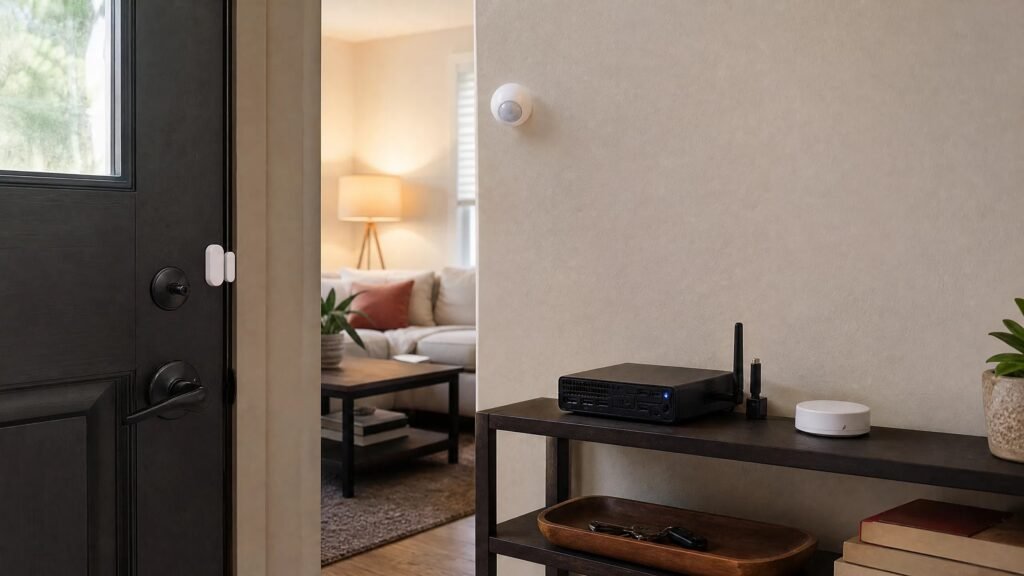
Home Assistant is free software. You install it on a small computer that stays in your home. Mine is a used office computer about the size of a hardcover book, and it sits on a shelf and runs all the time.
That little computer becomes the brain of the house.
At the moment, your smart devices probably live in separate apps. The lights in one, the plugs in another, the doorbell in a third. Home Assistant gathers them into one place and gives them a shared language, so they can finally work together. A motion sensor can tell a light to switch on. A washing machine can tell a speaker to remind you.
Once they can talk to each other, you write simple rules. In Home Assistant these are called automations, and they follow one pattern:
When this happens, and if that is also true, do this other thing.
You build those rules by choosing options on a screen. There is no programming involved, and you will not need to type anything that looks like code.
Two things worth saying plainly, because they stop most people before they start. You do not have to replace the devices you already own. And you do not have to give up Alexa. Alexa stays as the voice in the room. Home Assistant works quietly underneath it.
What actually changes
Four things, and they are all practical.
It keeps working when the internet goes down. My internet was out for about five hours last week. The cameras kept recording. The lights, the monitors and the television carried on as normal, because the decisions are made by that computer in my house, not by a company far away. I told my neighbours afterwards that a wired connection is good, but a wired connection with a local brain is better.
It can check more than one thing before acting. Not only “did something happen”, but “did this happen, is this other thing also true, and where is everybody right now”.
It keeps trying until something is finished. A reminder can repeat until the job is actually done, instead of announcing itself once to an empty kitchen.
It tells you why it did that. When something behaves oddly, you can look up what set it off, what it checked, and what it decided.
One honest note, because you may read otherwise elsewhere. People often say Alexa only takes orders while Home Assistant thinks for itself. That is not quite fair. Alexa Routines can react to motion, to a door opening, or to a time of day, and that is real automation. The differences above are narrower than the usual sales pitch, and they are the ones that matter in daily life.
Why the lights go off while you are still sitting there
This is the part most beginner guides get wrong, and it is worth being precise about.
An ordinary motion sensor detects movement. It cannot tell whether a room is occupied. So when you settle into a chair with a book and stop moving, the sensor decides the room is empty and the light goes out. The sensor is not broken. It was answering a different question from the one you cared about.
There is a newer kind of sensor that solves this. It is called a presence sensor, and instead of watching for movement it detects a body in the room, using a gentle radar signal. Sit perfectly still and it still knows you are there.
Most of mine are presence sensors: Akamatis Litos v3 units and Meross ones.
I also do something extra, which is where this gets genuinely useful. I check a second, completely separate clue before switching anything off: where my phone is. A free add-on called Bermuda works out which room your phone is in by measuring how strong its Bluetooth signal is at various points around the house. Mine are Shelly PM Mini Gen3 units, which do that job while also measuring electricity use.
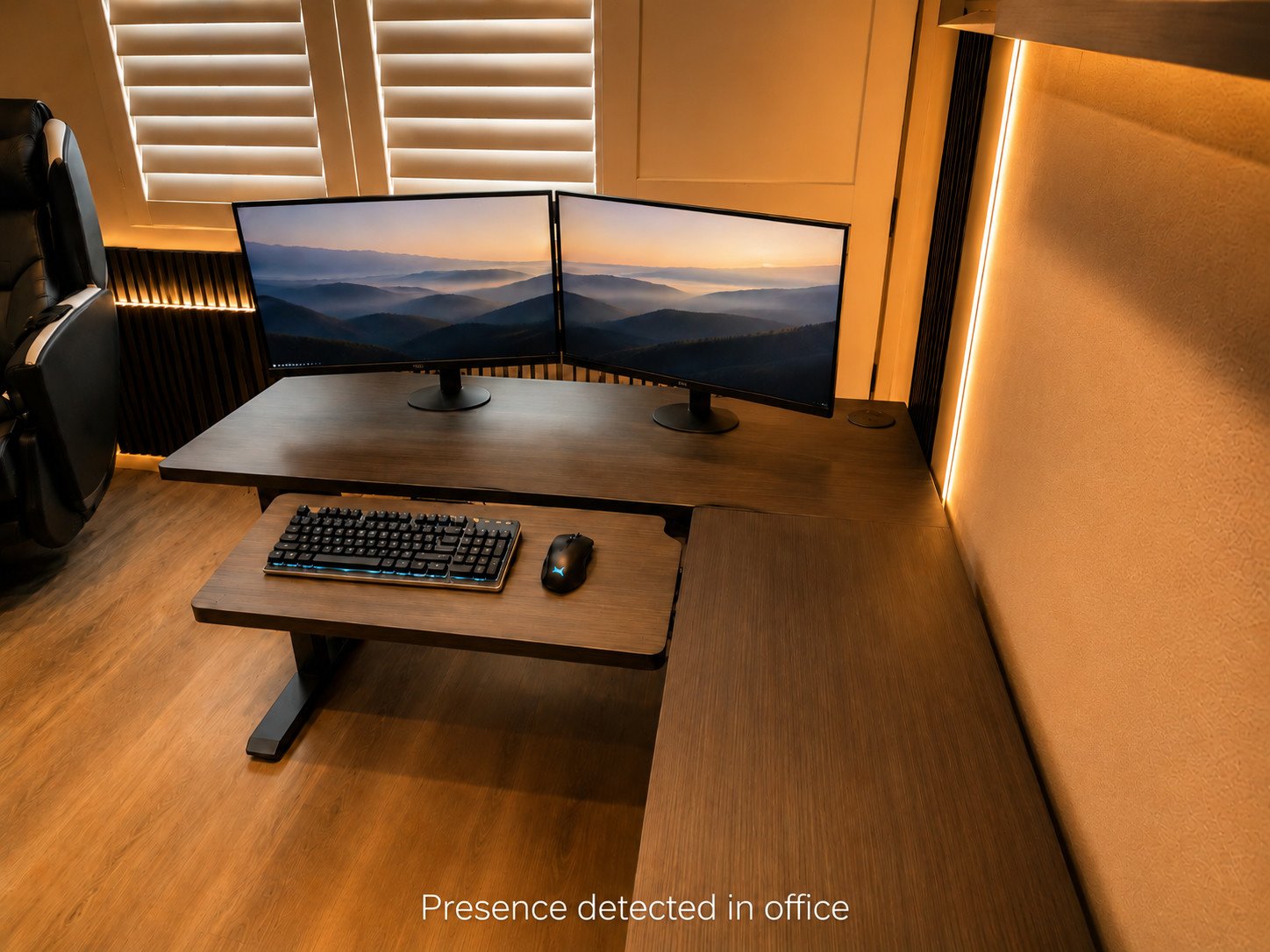
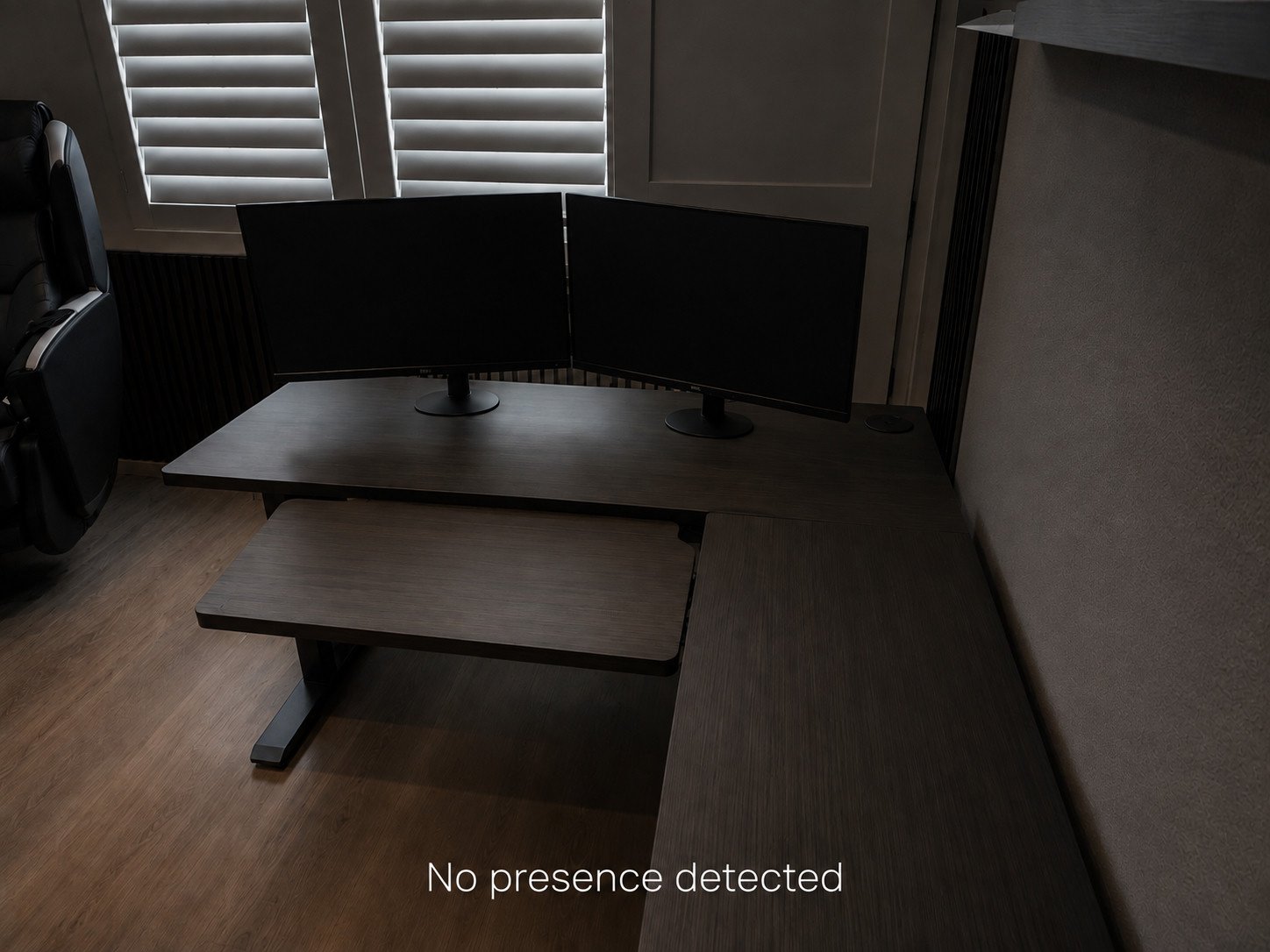
Here is my office, which is the example I would give if somebody asked what Home Assistant is really for:
If the office has sensed nobody for 20 minutes, and my phone appears to be in the living room, the lights and both monitors switch off. When I come back, they come on again and stay on for as long as I am there.
That little word “and” is the whole trick. One sensor making a mistake is not enough to plunge me into darkness. Two separate clues have to agree that I have gone.
The television works the same way. It comes on when I walk in and goes off when I leave.
How the computer talks to your devices
Here is something nobody explains clearly, and it stops a lot of people on their first weekend.
Smart devices do not all speak the same radio language. Some use your Wi-Fi. Others use quieter languages designed for small battery devices, with names like Zigbee, Z-Wave and Thread. Think of them as different languages spoken in the same house.
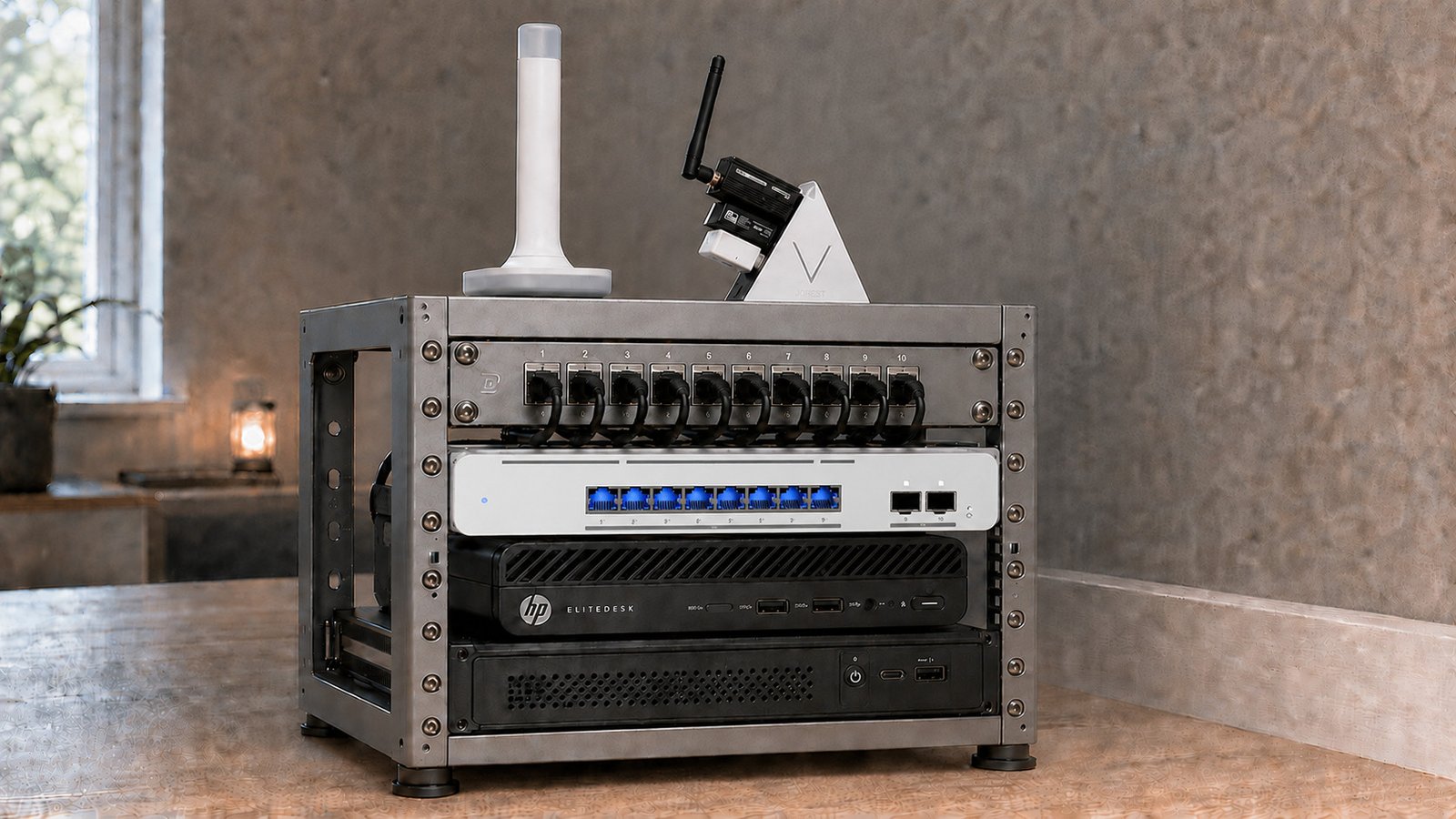
A computer on its own understands none of them. To listen, it needs a small adapter plugged into a USB socket, one for each language. They are inexpensive, roughly the size of a memory stick.
I use three:
- a Sonoff Zigbee adapter for Zigbee devices
- a Zooz 800-series adapter for Z-Wave devices
- a ZBT-2 adapter for Thread devices
One useful thing to know early. Zigbee and Z-Wave devices get more reliable as you add more of them, because anything permanently plugged into a wall passes messages along for the others. Battery-powered sensors do not do this. Plugged-in ones do. So coverage improves as you go, rather than getting worse.
Three things my house does without being asked
The doors. Ring contact sensors on the front and garage doors switch the lights on the moment either one opens. The lights go off again after ten minutes if nobody is moving about. Worth knowing: these are Z-Wave sensors, so I connect them straight to the Zooz adapter. No Ring base station, no monthly subscription, nothing going through the internet. They keep working when the internet does not. It is the least clever thing in the house and nobody has ever remarked on it, which is exactly what you want.
The laundry. My washing machines are LG, and Home Assistant can speak to them directly, so it knows the moment a cycle ends. It reminds us every fifteen minutes until the dryer is actually running. To be sure the dryer really started, it checks the electricity going to that socket using an Emporia Vue, which measures power use around the house. If your machine cannot be spoken to directly, a plug that measures electricity will tell you the same thing.
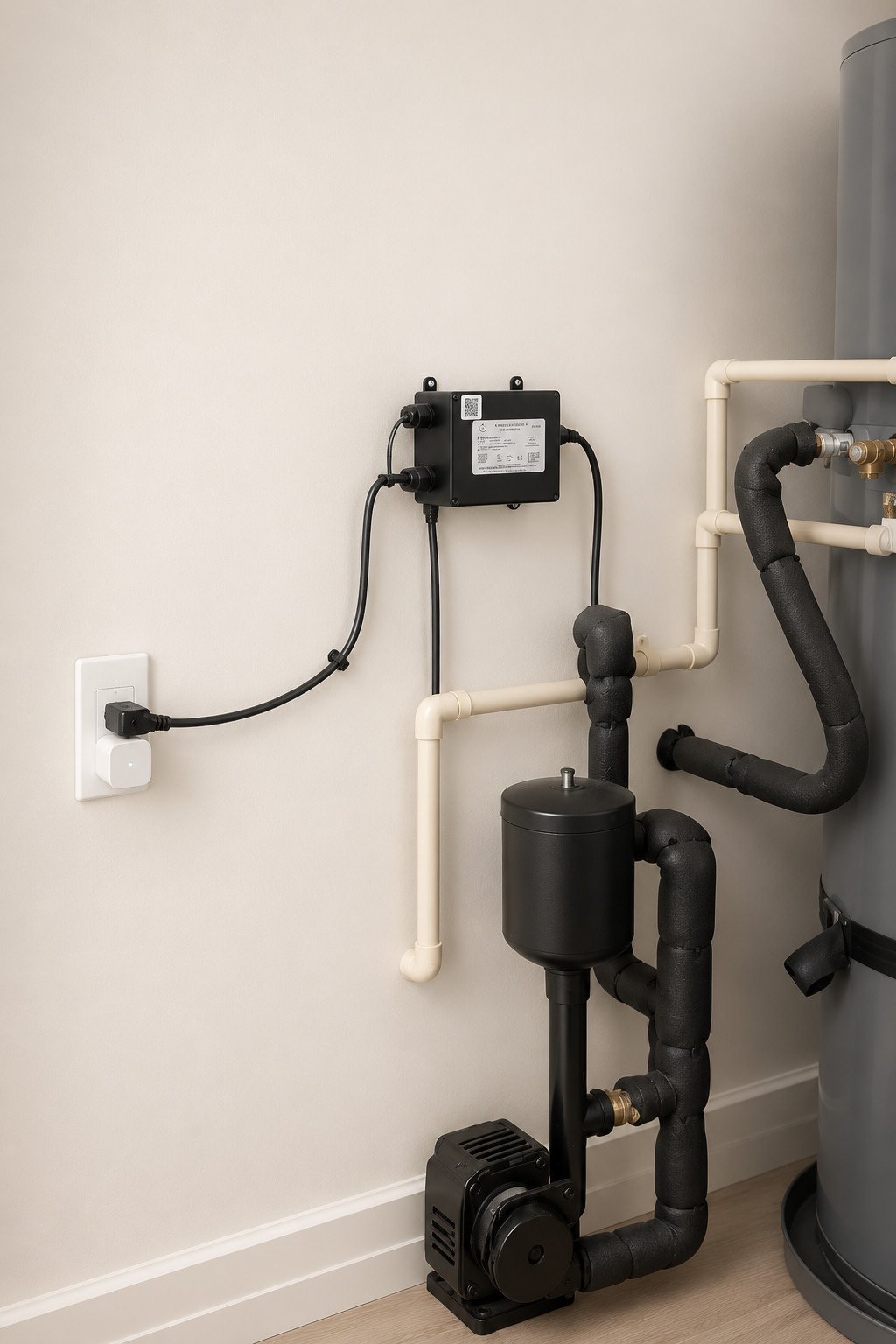
The hot water. There is an ordinary pump in my garage next to the water heater. Nothing clever about it. I replaced the socket it plugs into with a Tapo P210M smart socket, and now Home Assistant can switch that pump on.
When somebody walks into the bathroom, the light comes on, and the light coming on starts the pump. The pump runs for thirty seconds and stops by itself. I also set a rule so it cannot run more than once every half hour, which stops it switching on repeatedly. That does not mean waiting half an hour for hot water; the water is on its way within seconds.
Total cost of making an ordinary pump smart: one smart socket.
The night it went wrong
I should tell you about the failure, because everything above makes this sound tidier than it is.
I built a test using my security cameras. When they spotted a person, the camera speakers would describe them out loud: their rough age, their ethnicity, a joke about how they looked, and whichever decade their appearance brought to mind. It was a silly experiment. I wanted to see whether I could connect the cameras to the speakers at all.
It worked. I forgot to tell it to stay quiet at night.
So at three in the morning, the speakers outside my house were cheerfully broadcasting all of that at whoever happened to be walking past. My wife told me to switch it off. She was right, and I switched it off.
The lesson is not that you should avoid experimenting. It is that every rule needs a way to stop, and the time of day is the one people forget first. Anything that makes noise, sends a message, or could wake somebody up needs hours when it is not allowed to. Decide that at the same moment you create the rule.
Start with one problem, not a shopping list
I have about 200 devices and 150 rules after roughly eighteen months. Please do not read that as a target. It is simply what happens when you keep going for a year and a half.
I bought one device, solved one problem, and then did it again, about two hundred times.
The quickest way to make a smart home miserable is to buy a dozen gadgets before you have a reason for any of them. Instead, choose the thing that irritates you often enough to notice, and decide what “fixed” would look like before you spend anything.
| The irritation | What fixing it looks like | Why it is a good first attempt |
|---|---|---|
| Lights left on | They switch off once the room is genuinely empty | You will see whether it works every single day |
| Laundry forgotten | Reminders until the dryer is running | Success is obvious: the clothes moved |
| Hot water takes too long | The pump runs when somebody walks in | It solves a real daily discomfort |
| Doors while you are out | One useful message when a door opens | You learn quickly whether you like alerts |
Before you buy anything at all, write one sentence describing what you want:
“When this happens, I want my home to do that, but only if this is true.”
Three real ones from my house:
- “When the washer finishes, remind us every fifteen minutes, but only until the dryer starts.”
- “When somebody enters the bathroom, run the hot water pump briefly, but only if it has not run in the last half hour.”
- “When the office senses nobody, switch off the lights and monitors, but only if my phone is elsewhere in the house.”
If you can write that sentence, you already understand what Home Assistant does. Everything after that is just choosing options on a screen.
Then live with it for a week. Fix the one thing that annoys you about it. Only then build the next one.
What I would wait on
I regret buying the IKEA Thread devices and the ZBT-2 adapter when I did. Not because they are bad, since both work well now, but because at the time I could not get either of them working at all. I had bought into a new standard before the software had caught up with it.
That is the trap with Matter and Thread today. The idea is sound and it is where things are heading, and you can still lose a weekend to something that will take five minutes next year. If you are starting out, buy the ordinary, well-established thing first. Experiment later, once your home already works.
Your house must still work like a house
This is the rule that keeps automation from becoming a nuisance. The wall switch must still turn on the light. The tap must still give water. Nobody should need to know a device’s name, or open an app, to use a room.
I have a wife and three children. They all use Home Assistant, they all have it on their phones, and they tell me immediately when something I have built makes their day worse. That is the real quality control.
What it costs
The software itself is free, and always has been.
I pay about six dollars a month for Home Assistant Cloud, which is the official subscription from the people who make it. It is the simple way to connect Home Assistant to Alexa, and it lets me reach my home from my phone when I am out. You can avoid the fee and set that up yourself, but it takes real effort and ongoing maintenance.
Beyond that, the costs are the devices themselves, bought one at a time as you need them.
Where to begin
Pick the one thing in your home that irritates you most. Write your sentence. That is genuinely the whole first step.
Next in this series: which computer should run Home Assistant, and why I would point you towards a used office machine rather than something bigger or more complicated.
Useful reading: Home Assistant’s own introduction to the basic ideas and its guide to building your first automation.